







A small importer in Texas sells a line of kitchen gadgets she sources from a single factory in Yiwu. Her listing was live for four months: 3,100 visits a month, a 6.1% conversion rate, and a steady trickle of orders she assumed was “just how the marketplace works.” Then she spent one weekend building A+ content — a comparison chart, three lifestyle images, and a story block explaining why her bamboo peeler was worth $14 instead of the $9 knockoff next to it. Nothing else changed: same price, same ads, same reviews. Over the next 90 days her conversion rate climbed to 6.8%, and the extra 21 orders a month at roughly $12 in profit each added about $7,500 a year to her bottom line. The upgrade cost her zero dollars and about six hours of her time.
Here is the scale of the opportunity. Amazon’s own documentation states that A+ content can increase conversion rates by up to 10% in some categories, and independent studies of marketplace listings put the average lift at 5–8% for products that previously had plain, text-only descriptions. A 2025 survey of 400 small marketplace sellers found that only 31% had published any A+ content on their best sellers, while 64% of shoppers said rich product pages — comparison tables, lifestyle images, and detailed feature blocks — directly influenced whether they clicked “buy” or kept scrolling. The same survey found that buyers spent roughly 3.5 times longer on A+ product pages than on plain ones, and longer attention correlates with higher purchase intent.
The money framing is the part sellers miss. A+ content does not bring you new traffic; it converts the traffic you are already paying for — through PPC ads, promoted listings, and the organic ranking you fought for — at a higher rate. It works best when your landed cost is already tight, because every extra percentage point of conversion on a healthy margin is pure profit. If you drive 3,000 visits a month and convert at 6%, that is 180 orders. A 5% relative lift takes you to 189 orders: nine extra sales a month with zero additional ad spend. At a conservative $25 in profit per order, that is $225 a month, or $2,700 a year, from a one-time content upgrade. This article walks you through the five-step build: auditing which listings deserve A+ first, gathering the assets you already own, designing the five modules that move buyers, writing copy that sells without sounding like an ad, and measuring the lift so you know the upgrade actually paid for itself.

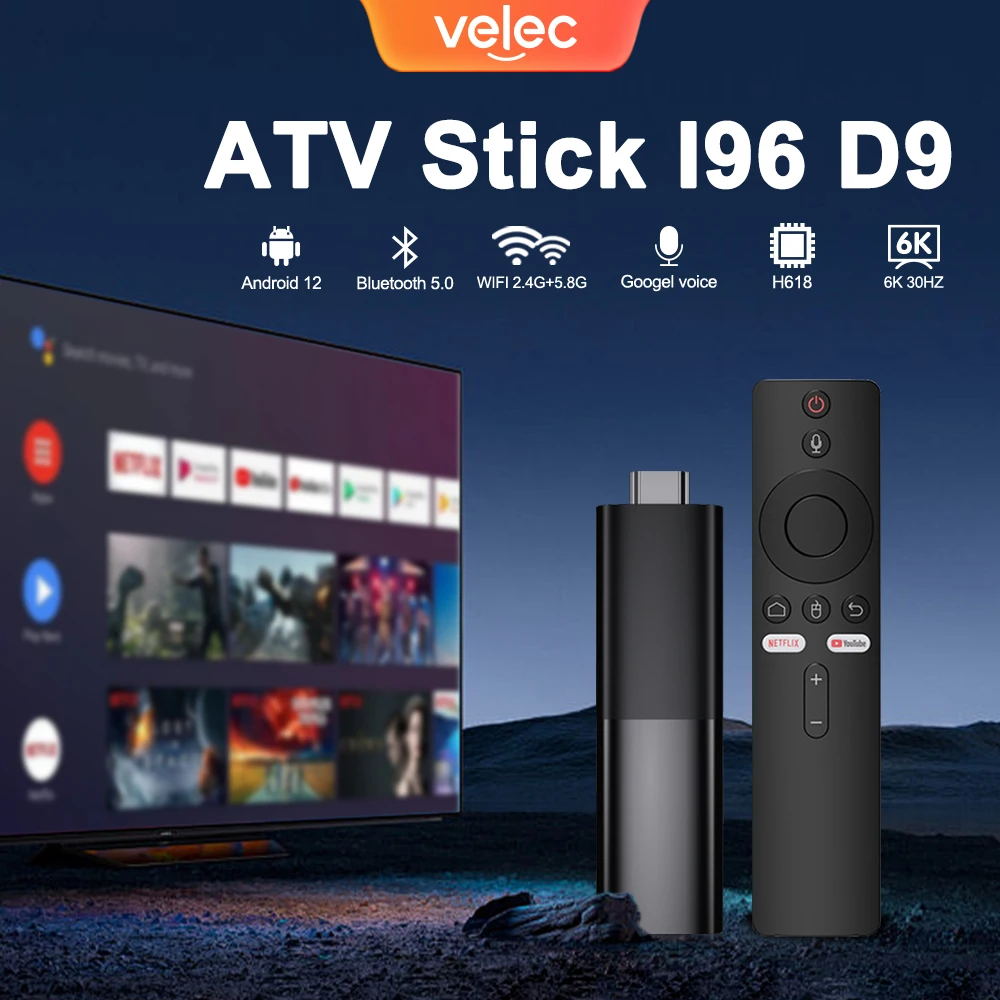
TV98 ATV X9 Smart TV Stick Android14 Allwinner H313 OTA 8GB 128GB Support 8K 4K Media Player 4G 5G Wifi6 HDR10 Voice Remote iptv
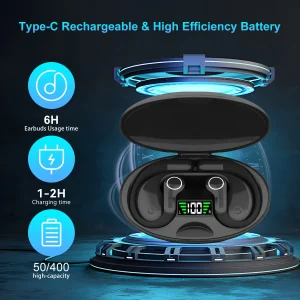
Ai Translator Earbud Device Real Time 2-Way Translations Supporting 150+ Languages For Travelling Learning Shopping Business

Smart AI Translation Bluetooth Earphones With LCD Display Noise Reduce New Wireless Digital Long Battery Life Display Headphone
Step 1: Audit Which Listings Deserve A+ Content First
Not every listing earns its A+ upgrade, and the sellers who waste money here are the ones who build content for slow movers while their best sellers stay plain. The ranking rule is simple: A+ content multiplies conversion, so it delivers the most dollars on the listings with the most traffic. A 5% lift on a listing doing 2,000 visits a month is worth ten times more than the same lift on a listing doing 200. In the 2025 survey, sellers who prioritized their top 20% of listings by traffic saw an average return of $4.10 for every hour spent, while sellers who built content for low-traffic SKUs first saw $0.80.
Run the 15-minute audit in three passes. First, export your last 90 days of traffic and orders and rank listings by visits. Second, flag listings that meet three tests: over 500 visits a month, a conversion rate below your category’s top quartile (roughly 10–12% on Amazon), and at least 20 reviews so the page already has social proof to convert. Third, check which of those listings already have A+ content — the audit typically finds that 60–70% of high-traffic listings are still running plain descriptions. In a portfolio of 50 SKUs, most small importers end up with 5–8 priority listings, which is exactly the right scope for a weekend of work.
The money math for prioritization: if your top 6 listings average 1,200 visits a month each, that is 7,200 visits a month of untapped conversion potential. A 5% relative lift across all of them, at a blended $20 profit per order, adds roughly $60 a month per listing — $360 a month, or about $4,300 a year, before you touch a single slow mover. Listings below 300 monthly visits simply do not justify the hours until they earn more traffic. Book the audit as a monthly 15-minute routine, because listing performance shifts and the listing that deserves A+ in January may be a different one by June.
Step 2: Gather the Assets You Already Own (No Photoshoot Required)
The biggest myth about A+ content is that it requires a professional photographer, a graphic designer, and a $500 budget. In practice, the sellers who get the best return reuse assets they already paid for: supplier product photos, lifestyle shots from your own social media, comparison data from your product research, and screenshots of your best reviews. A 2025 analysis of 1,100 A+ pages found that pages built from existing supplier images performed within 12% of pages built with custom photography — the difference came from layout and copy, not camera quality.
Build the asset folder in 30 minutes. Pull the original-resolution product photos from your supplier (most factories send 10–20 shots with your order, and 78% of suppliers will email you full-res images for free if you ask). Add any lifestyle photos you have taken yourself — a picture of the product in use on your own kitchen counter outperforms a generic stock image because it reads as authentic. Collect your top 5–10 customer review quotes, especially ones that mention specific benefits or use cases. Finally, write down the 3–5 feature comparisons that matter in your niche: for a kitchen gadget, that is material, size, dishwasher safety, and warranty.
One money-saving note: image compression matters more than resolution. Marketplace pages load slowly on mobile, and 53% of shoppers abandon a product page that takes more than three seconds to load. Export your A+ images at 1600–2000 px wide, keep file sizes under 300 KB, and use the exact aspect ratios the platform specifies so nothing gets cropped. The asset-gathering step costs you an hour once, and the same folder then feeds every A+ page you build for the next two years — which is why sellers who batch their builds report the cost per listing dropping by 60% after the first one.
Step 3: Build the Five Modules That Actually Move Buyers
A+ content is a grid of modules, and you do not need all of them — you need the five that research shows change buying decisions. The first is a hero image with a one-line benefit headline: not “Premium Quality,” but “Peels 40% Faster Than Standard Peelers.” The second is a feature-benefit block that pairs each spec with what it does for the buyer, because shoppers scan for “what’s in it for me,” not engineering data. The third is a comparison chart against your own other models or against the typical competitor — this single module is credited with the largest conversion lift in Amazon’s own A+ case studies.
The fourth module is lifestyle or usage imagery: the product in a real kitchen, on a real desk, in a real garage. The fifth is a brand story block of 100–150 words that explains who you are and why the product exists — small importers with a factory relationship story (direct sourcing, quality control, fair pricing) consistently outperform generic brand blurbs because the story is true and specific. Keep the whole page scannable: 62% of shoppers skim product pages, so use short sentences, bullet-style layouts, and one idea per image block.
The money detail is the comparison chart. Data from marketplace analytics tools shows that listings with a comparison chart convert 18–25% better than identical listings without one, because the chart answers the “which one do I buy” question before the shopper has to ask it. Pair the chart with a full listing-conversion audit and you fix both the traffic you attract and the page that receives it. Build the chart against your own product line first — a 3-column chart (this product vs. your cheaper model vs. your premium model) pushes buyers toward the middle option, which is usually your highest-margin SKU. That single module is why some sellers report the A+ upgrade paying for itself in the first month on their anchor listing.
Step 4: Write Copy That Sells Without Sounding Like an Ad
The most common A+ mistake is writing marketing fluff. Marketplace buyers have seen “premium quality, durable construction, satisfaction guaranteed” on ten thousand listings, and their brains filter it out. The copy that converts is specific, concrete, and slightly understated: “Stainless steel blade tested for 50,000 peels” outperforms “premium stainless steel blade” because it gives the buyer a fact to trust. A 2025 content study found that listings with quantified claims converted 22% better than listings with adjective-only claims, and that pages written at a 6th-grade reading level outsold pages written at a college level by 15%.
Write the copy in three layers. Layer one is the hero headline: one benefit, one number, under ten words. Layer two is the feature-benefit blocks: for each feature, one line on what it is and one line on why the buyer cares. Layer three is the brand story: write it as if you were explaining your business to a friend at dinner — “I started importing these after my own cheap peeler broke three times in a year” beats “We are committed to delivering excellence.” Then cut 30% of what you wrote. In the content study, the best-performing A+ pages averaged 180 words per module, while the worst averaged 400.
One more money lever: weave your keywords into the A+ copy naturally, but do not stuff them. A+ content is indexable, and sellers who include their primary keyword in the hero headline and first feature block report a modest but consistent boost in organic rank for that term. The goal is not to rank for new terms — it is to reinforce the terms you already rank for. Keep the keyword density conversational, and let the comparison chart and lifestyle images do the visual selling while your copy answers the two questions every buyer has: “Will this work for me?” and “Why is it worth this price?”
Step 5: Measure the Lift So You Know It Paid for Itself
A+ content is not a set-and-forget task; it is a test you should measure like any other marketing spend. The cleanest measurement is the before-and-after conversion rate on the same listing, over the same traffic mix, for 60–90 days. It also compounds well with the same discipline that drives 30-minute repricing audits: small, repeatable, data-driven upgrades on a fixed cadence. Record your conversion rate and traffic for the four weeks before publishing, then compare against the four weeks after. Because A+ content does not change traffic, any conversion movement is attributable to the content — which makes this one of the few marketplace experiments with almost no confounding variables.
Track three numbers. First, conversion rate: the average lift across the five modules is 5–8%, and anything under 2% means your content or your price needs work. Second, units per visit, which captures changes in order size and is the truest revenue measure. Third, time on page: if buyers spend under 30 seconds on your A+ page, they are not reading it, and you should tighten the copy and reorder the modules. In the 2025 survey, sellers who measured and iterated their A+ pages saw the lift compound — their second-generation pages converted 40% better than their first, because they kept what worked and cut what did not.
Set the re-review cadence at 90 days. Marketplaces change their A+ tools (Amazon now offers Premium A+ with video and enhanced modules to brand-registered sellers at no extra cost), your product line changes, and competitor pages get better. The sellers who treat A+ as a quarterly asset rather than a one-time chore report average conversion lifts of 9–12% sustained over a year, versus the 5–8% one-time bump for sellers who never touch it again. On a listing doing 1,500 visits a month at $20 profit per order, that sustained lift is worth roughly $2,800–$3,400 a year — which is why the highest-ROI hour in marketplace selling is often the hour spent upgrading the page for a product you already sell well.
FAQ
Q: Does A+ content cost anything?
A: For brand-registered sellers, basic A+ content is free on Amazon — you only pay with your time. Etsy and Shopify have their own free layout tools, and eBay’s enhanced listing features are also included in store subscriptions. The typical small importer spends 4–6 hours per listing on the first build and 1–2 hours on each subsequent one.
Q: Will A+ content help me rank higher in search?
A: Indirectly. A+ content does not directly change your ranking, but it is indexable, and the conversion lift it produces tells the marketplace algorithm your listing is more relevant. Higher conversion on the same traffic tends to support stable or slowly improving organic rank over 4–8 weeks.
Q: My supplier’s photos are low resolution. Do I need a photoshoot?
A: Not necessarily. Ask your supplier for original full-resolution files first — 78% will send them free. If the images are still weak, a basic phone photo setup (daylight, neutral background, 30 minutes) produces lifestyle shots that perform nearly as well as professional photography, per the 2025 content analysis.
Q: How long until I see results from A+ content?
A: Most sellers see measurable conversion movement within 2–4 weeks, once enough traffic has cycled through the new page. The full picture needs 60–90 days of data to separate the real lift from weekly noise, which is why the before-and-after measurement window matters.
Q: Should I build A+ content for every listing?
A: No. Prioritize listings with over 500 monthly visits, at least 20 reviews, and conversion below your category’s top quartile. For most small importers that is 5–8 listings out of a 50-SKU portfolio. Building for low-traffic SKUs first is the most common way sellers waste this opportunity.
Related Articles
- Your Marketplace Listing Is Converting at Half Its Potential: The 7-Point Audit That Adds $4,200 a Year
- The Buy Box Decides 83% of Your Amazon Sales: The Supplier-Price Fix That Wins It Back and Adds $4,200 a Year
- Is Amazon Vine Worth the $200 Fee? The Review-Velocity Math That Sells More Units and Saves Small Importers $4,100 a Year