





Ecommerce automation tools promise to save time, reduce errors, and boost sales — but choosing the wrong ones can drain your budget and leave you with a tangled mess of incompatible software. For small import businesses operating on tight margins, one bad tool decision can cost months of progress. The difference between a streamlined operation and constant frustration often comes down to knowing which mistakes to avoid before you sign up for that monthly subscription.
Many entrepreneurs jump into automation headfirst, seduced by flashy demos and impressive feature lists. They purchase a Shopify plugin, sign up for an inventory management platform, and buy a customer service chatbot — all within the same week. A month later, they are drowning in integrations that do not talk to each other, double-entering data across systems, and wondering why their “automated” business requires more manual work than before. As covered in our article on scaling a dropshipping business from sporadic sales to steady growth, automation without a coherent strategy creates more problems than it solves.
The real value of ecommerce automation tools lies in how well they fit your specific workflow — not in how many features they pack. A tool that automates 80 percent of your most frequent tasks beats a tool that covers 200 features you will never use. Before you evaluate any software, you need to map out your daily operations: order processing, inventory updates, customer communication, shipping label generation, and financial tracking. Once you understand where your bottlenecks actually live, you can look for tools designed to solve those precise problems.

Smart AI Translation Bluetooth Earphones With LCD Display Noise Reduce New Wireless Digital Long Battery Life Display Headphone

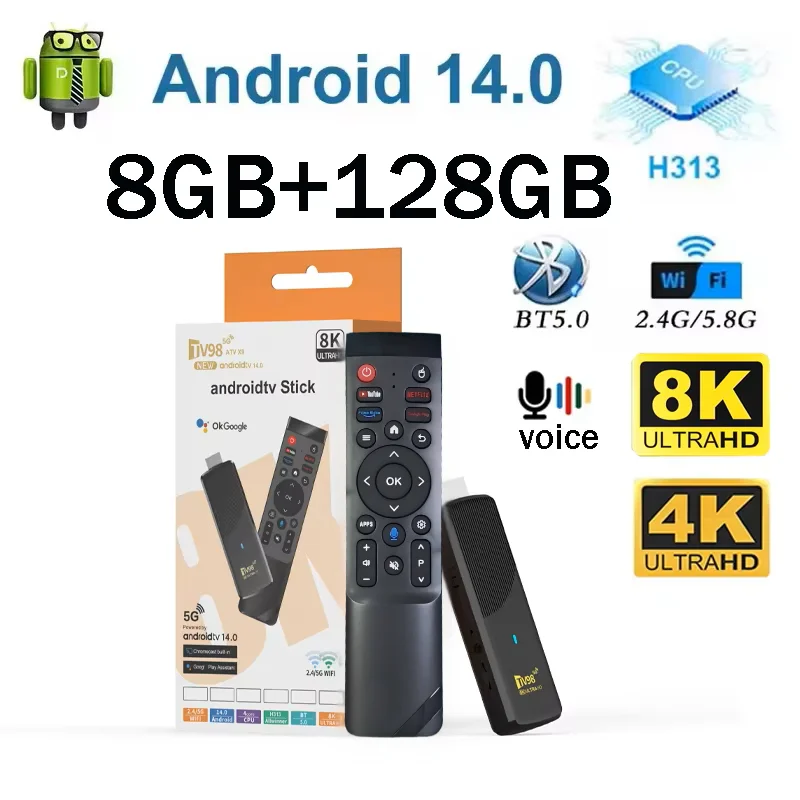
TV98 ATV X9 Smart TV Stick Android14 Allwinner H313 OTA 8GB 128GB Support 8K 4K Media Player 4G 5G Wifi6 HDR10 Voice Remote iptv

Ai Translator Earbud Device Real Time 2-Way Translations Supporting 150+ Languages For Travelling Learning Shopping Business
The Feature Trap: Why More Capabilities Often Mean More Complexity
The most common mistake small importers make is choosing an all-in-one platform packed with features they do not need. Enterprise-grade tools like NetSuite or SAP are powerful, but their complexity crushes small operations. You end up paying for inventory forecasting, multi-warehouse management, and advanced demand planning modules when all you really need is basic stock tracking and automated reorder alerts. The onboarding alone can take weeks, and the customization costs can exceed your entire software budget for the year.
Instead, start with simple, focused tools. Platforms like TradeGecko (now QuickBooks Commerce), Zoho Inventory, or even a well-configured Shopify backend can handle 90 percent of what a small import business needs. The key is to master one tool before adding another. Our piece on automated order fulfillment tactics that save importers hours each week shows how mastering a single fulfillment tool beats juggling three half-baked systems.
Integration Blind Spots: When Your Tools Do Not Talk to Each Other
An ecommerce automation tool is only as valuable as its ability to connect with your existing stack. You might buy a best-in-class inventory management system, but if it does not sync with your Shopify store or your shipping carrier, you will still be manually updating stock levels and copying tracking numbers between windows. The administrative overhead from disconnected tools can eat up 10 to 15 hours per week — exactly the opposite of what automation should deliver.
Before committing to any tool, check its integration marketplace. Look for native connectors to platforms you already use: Shopify, WooCommerce, PayPal, ShipStation, and major carriers like USPS, FedEx, and DHL. If a tool requires custom API development to connect to your accounting software, look elsewhere. The digital tools designed to solve supplier relationship problems are only helpful if they integrate seamlessly with your order management workflow.
Ignoring the Learning Curve: Automation Is Only Fast If You Know How to Use It
Many small business owners underestimate the time required to set up and learn a new automation tool. They calculate the monthly cost against hours saved — but forget to factor in the first 30 to 60 days of learning, configuration, and troubleshooting. During this period, your productivity actually drops as you wrestle with settings, import data, and fix initial mistakes.
The solution is straightforward: trial your top two or three tools on a single product line or a limited order volume before rolling them out across your entire catalog. Use free trials aggressively. Set up a test environment. Run real orders through the system for at least two weeks. Only after you feel confident in the workflow should you commit to a paid plan and expand to your full product range.
Neglecting Support and Community: You Will Hit Problems
Every ecommerce automation tool breaks eventually. An API endpoint goes down. A sync bug duplicates inventory counts. A shipping label prints with the wrong address. When these inevitable issues arise, fast support is the difference between a five-minute fix and a lost day of sales. Yet many importers choose tools based purely on features and price without researching the quality of customer support.
Before buying, read recent reviews on G2, Capterra, or the Shopify app store — specifically filtering for support-related feedback. Check whether the tool offers live chat, phone support, or only email tickets. Some platforms charge extra for priority support or only offer it on higher-tier plans. Calculate that cost into your decision. A tool that saves you $30 per month but costs you six hours of troubleshooting is not a bargain.
Choosing Based on Someone Else’s Business
The worst automation mistake is adopting tools because a successful competitor or a YouTube guru recommends them. Their business model, product categories, order volume, and team structure are different from yours. A tool that works for a high-volume clothing reseller could be overkill for a small importer handling 50 orders per week across ten niche products. And a bare-bones system that works for a solopreneur will collapse under the pressure of a small team managing three sales channels.
Evaluate tools against your actual requirements: order volume, number of SKUs, sales channels, shipping destinations, and team size. Make a list of must-have features before you start browsing. Then test each candidate against your checklist. This methodical approach prevents shiny-feature syndrome and ensures your automation stack grows with your business rather than strangling it.
Build Your Automation Stack the Right Way
Ecommerce automation tools can transform a chaotic import business into a well-oiled machine — but only if you choose them with intention. Map your workflows first. Pick simple, focused tools that integrate with your existing stack. Invest time in learning, trial before buying, and prioritize support quality. Avoid the feature trap and the guru trap. Your small import business deserves tools that serve your specific needs, not tools that impress your competitors.
Start small. Pick one bottleneck — order entry, inventory tracking, or customer follow-up — and find a single tool that solves it. Master that tool, then add the next. This gradual, deliberate approach to automation builds a system that saves you time, protects your margins, and lets you focus on growing your international trade business.
Related Articles
- Gut Feeling vs Data Driven Product Selection: Which Strategy Wins for Small Importers?
- Stop Small Commodity Trading Mistakes Before They Cost You Thousands
- From Data Fragments to Profitable Imports: A Global Market Trends System That Delivers
Frequently Asked Questions
Q: How do I calculate the total landed cost of imported goods?
Total landed cost = Product Cost + Shipping + Insurance + Customs Duties + Port Fees + Inspection Costs + Payment Processing Fees + Storage. Most new importers underestimate total cost by 15-25%. Use a landed cost calculator for accuracy.
Q: How can I reduce my import costs without sacrificing quality?
Negotiate volume discounts with suppliers, consolidate shipments to reduce per-unit freight, use sea freight instead of air, optimize packaging size for container efficiency, and source during off-peak seasons when factory rates are 10-20% lower.
Q: What is the minimum budget needed to start an import business?
A realistic starting budget is $2000-5000. This covers product samples ($100-300), initial inventory ($1000-2500), shipping ($300-800), customs duties ($100-300), platform fees, and marketing. Start smaller to test demand before scaling up.
Q: How do I manage cash flow in an import business?
Align payment terms with your sales cycle. Negotiate 30-day credit with suppliers after establishing history. Use credit cards for smaller purchases to float payments 30-45 days. Build a cash reserve of 3 months of operating expenses to handle slow seasons.
Q: How do tariffs and duties affect my pricing strategy?
Factor duty rates (typically 2-15% of product value) into your final pricing. Products from countries with free trade agreements may qualify for reduced or zero tariffs. Check your country's tariff schedule and consider sourcing from FTA partner countries.