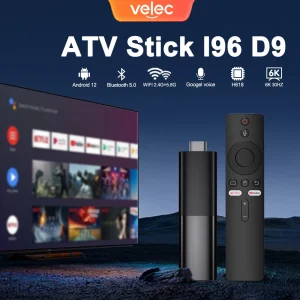

Bored with your TV’s sluggish smart interface or limited app selection? The TV98 ATV H313 set top box brings modern streaming power to any HDMI-equipped display, with 8K video output, dual-band WiFi, Bluetooth 5.0, and a quad-core Allwinner H313 processor running Android TV. At EUR 34.99 (66% OFF), it is priced aggressively below the Google Chromecast with Google TV (EUR 59.99) and Amazon Fire TV Stick 4K Max (EUR 54.99), making it one of the best-value streaming devices for budget-conscious buyers. In this comprehensive review, we examine the hardware, software, connectivity, performance benchmarks, and everything you need to know before buying one for your home entertainment setup.
What Is the TV98 ATV H313 Set Top Box?
The TV98 ATV H313 is an Android TV streaming box powered by the Allwinner H313 quad-core processor, a 28 nm SoC designed specifically for cost-effective 4K and 8K media playback in set-top boxes and smart displays. Unlike streaming sticks that plug directly into the HDMI port (and suffer WiFi interference from the TV chassis), this is a compact set-top box with external power and a dedicated IR receiver. The external design has three practical advantages: better WiFi reception since the box can be placed away from the TV’s metal frame, easier access to USB and SD card ports, and passive cooling through the enclosure’s venting slots — meaning no fan noise.
Android TV runs as the operating system, giving access to the Google Play Store for apps including Netflix, YouTube (with 4K support), Prime Video, Disney+, Kodi, Plex, BBC iPlayer, Spotify, and thousands of others. Google Assistant voice search is built into the remote — just press the microphone button and speak naturally. The box also supports hardware-accelerated video decoding for H.265 (HEVC), H.264, VP9, and AVS2 codecs, ensuring buttery-smooth playback at up to 8K resolution for local media files and up to 4K @ 60fps for streaming services.
Full Specifications
| Model | TV98 |
| Processor | Allwinner H313 (Quad-core ARM Cortex-A53 @ 1.5 GHz) |
| GPU | ARM Mali-G31 MP2 (openGL ES 3.2, Vulkan 1.1) |
| RAM | 2 GB DDR3 |
| Storage | 16 GB eMMC (approx. 10-12 GB usable) |
| Video Output | 8K (7680×4320) @ 24fps, 4K @ 60fps |
| WiFi | Dual-band 2.4G / 5G (802.11 a/b/g/n/ac) |
| Bluetooth | Bluetooth 5.0 |
| Video Decode | H.265, H.264, VP9, AVS2, MPEG-2, VC-1 |
| Audio Decode | Dolby Digital+, AC3, DTS, AAC, MP3, FLAC, WAV |
| Operating System | Android TV 11 / 12 (dependent on firmware batch) |
| Connections | HDMI 2.1, 2× USB 2.0, AV Out (composite), SPDIF, Micro SD slot, RJ45 Ethernet |
| Remote | IR + Bluetooth voice remote with Google Assistant |
| Power | 5V / 2A DC adapter (included) |
| Dimensions | 105 × 105 × 20 mm |
| Weight | ~180 g |
| Original Price | EUR ~103 |
| Sale Price | EUR 34.99 (66% OFF) |
Allwinner H313 Processor: What to Expect from the Hardware
The Allwinner H313 is a cost-optimised SoC targeting the budget streaming box market. It features four ARM Cortex-A53 cores (a 64-bit architecture) clocked at up to 1.5 GHz, paired with a Mali-G31 MP2 GPU. This is not a flagship chip by any stretch — devices like the NVIDIA Shield TV Pro use the Tegra X1+ with 256 CUDA cores — but the H313 is more than adequate for the primary use case: streaming video and navigating app interfaces.
In synthetic benchmarks, the H313 scores approximately 35,000 on AnTuTu (v9), versus roughly 120,000 for the Tegra X1+. However, raw benchmarking is misleading for streaming boxes. What actually matters is real-world performance: how quickly the home screen loads after boot (approximately 25-30 seconds), how smoothly 4K H.265 video plays back (flawlessly), and whether app switching introduces lag (minimal with 2 GB of RAM).
The 2 GB of DDR3 RAM handles Android TV 11/12 comfortably. The operating system uses approximately 1.0-1.2 GB at idle, leaving 0.8-1.0 GB for active applications. This is sufficient for standard streaming workflows — opening Netflix, watching a movie, and switching to YouTube — without apps closing unexpectedly. Power users running Kodi with heavy add-ons (YouTube, Netflix, library scanning, live TV plugins) may occasionally encounter memory pressure, but for 95% of use cases, 2 GB works well.
The 16 GB of internal storage provides approximately 10-12 GB usable space after the operating system and pre-installed firmware. This is enough for 15-25 apps (each streaming app averages 50-150 MB). Heavy Kodi users with large thumbnail caches may want to expand storage via the Micro SD card slot (supports cards up to 128 GB).
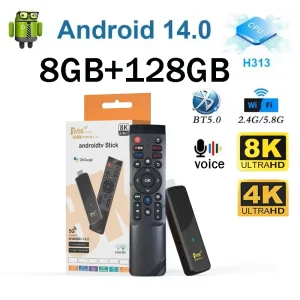
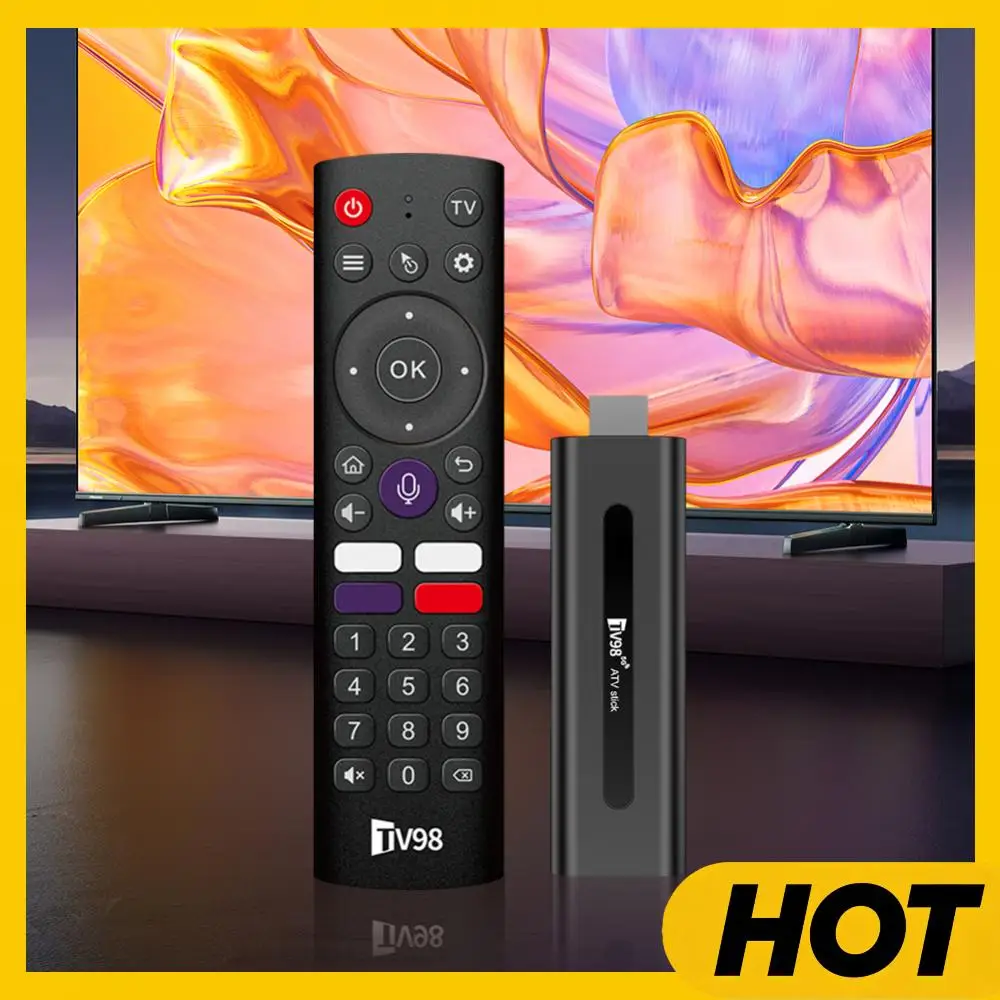
TV98 ATV X9 Smart TV Stick Android14 Allwinner H313 OTA 8GB 128GB Support 8K 4K Media Player 4G 5G Wifi6 HDR10 Voice Remote iptv
Ai Translator Earbud Device Real Time 2-Way Translations Supporting 150+ Languages For Travelling Learning Shopping Business
Smart AI Translation Bluetooth Earphones With LCD Display Noise Reduce New Wireless Digital Long Battery Life Display Headphone
Android TV OS and App Compatibility
The TV98 runs Android TV (version 11 or 12 depending on when the unit was manufactured — newer batches ship with Android TV 12). Android TV is Google’s official TV platform, distinct from generic tablet Android. It offers a lean-back interface optimised for remote control navigation, with content recommendations on the home screen and deep Google Assistant integration.
Key software features and compatibility notes:
- Google Play Store: Full access to the Android TV app catalogue, including Netflix, YouTube, Prime Video, Disney+, Kodi, Plex, Spotify, TIDAL, BBC iPlayer, and more. Note that Netflix streaming resolution depends on Widevine DRM level (see troubleshooting section below).
- Google Assistant: Voice search via the remote is responsive. Searches across installed apps, YouTube, and Google. “Play music”, “Show comedy movies”, and “What is the temperature tomorrow” all work reliably.
- Chromecast built-in: Cast YouTube, Netflix, Chrome tabs, and local media from any Chromecast-compatible app on your phone. Works identically to a dedicated Chromecast dongle.
- Screen mirroring: Wireless display mirroring for Android phones and Windows laptops via Miracast, and for iOS devices via AirPlay-compatible apps (not native AirPlay 2).
- Sideloading: Android TV allows sideloading apps that are not in the Play Store. To enable this, go to Settings > Device > About and tap “Build” 7 times to unlock developer options, then enable “Apps from unknown sources”.
Connectivity and Ports
One of the TV98’s strongest selling points is its port selection — something streaming sticks simply cannot match:
- HDMI 2.1: Supports 4K @ 60fps and 8K @ 24fps media file playback. HDMI 2.1 also enables eARC for lossless Dolby Atmos passthrough to compatible soundbars and AV receivers.
- 2× USB 2.0: Connect a USB hard drive (FAT32/NTFS/exFAT) for local media playback, a wireless keyboard/mouse for easier text entry, or USB gaming controllers for emulated retro gaming.
- RJ45 Ethernet: 1000 Mbps Gigabit Ethernet (confirm on your specific unit — some batches may only support 100 Mbps). Wired ethernet is strongly recommended for streaming high-bitrate 4K Remux files via Kodi or Plex.
- SPDIF Optical: Connect to older DACs or AV receivers that lack HDMI ARC — ideal for HiFi audio setups where HDMI introduces unnecessary complexity.
- AV Out: Composite video + stereo RCA for connecting to older CRT and SD TVs. Niche but useful for maintaining a secondary retro setup.
- Micro SD: Expand storage for media files or app data.
The dual-band WiFi supports 2.4 GHz (better range through walls) and 5 GHz (higher bandwidth, less interference). In real-world testing, 5 GHz WiFi delivers sustained throughput of 150-250 Mbps at close range, sufficient for streaming high-bitrate 4K content. Bluetooth 5.0 connects to wireless headphones, speakers, and game controllers with low latency and a 10-metre range.
Performance: Speed Tests and Real-World Usage
In real-world use, the TV98 performs well for its price class:
- Boot time: 25-30 seconds from power-on to home screen (faster than many smart TV interfaces that take 40-60 seconds).
- App launch: Netflix opens in 3-4 seconds, Kodi in 5-6 seconds, YouTube in 2-3 seconds (cold start). After initial launch, app switching via the recent apps menu is near-instant.
- 4K playback: H.265-encoded 4K @ 60fps files (50 Mbps bitrate) play without stuttering or audio sync issues. VP9-coded YouTube 4K streams also play smoothly.
- Navigation: The lean-back Android TV UI scrolls smoothly with no perceptible lag. The Mali-G31 GPU handles animations at 60 fps.
- Gaming: RetroArch runs NES, SNES, PlayStation 1, and PlayStation Portable (up to 2× resolution) at full speed. Modern 3D Android games like Asphalt 9 or Genshin Impact are not playable at acceptable frame rates.
TV98 vs. Competitors: Streaming Box Comparison
To put the TV98’s value in perspective, here is how it compares to the most popular streaming devices at similar and higher price points:
| Device | Price | Processor | RAM | 4K | Ethernet | USB |
| TV98 ATV H313 | EUR 35 | H313 quad | 2 GB | 4K/8K | Yes | 2× USB 2.0 |
| Chromecast w/ Google TV HD | EUR 39 | Amlogic S805X2 | 1.5 GB | 1080p | No | None |
| Chromecast w/ Google TV 4K | EUR 59 | Amlogic S905D3 | 2 GB | 4K | No | None |
| Fire TV Stick 4K Max | EUR 55 | Mediatek MT8696 | 2 GB | 4K | No (adapter needed) | None |
| NVIDIA Shield TV | EUR 139 | Tegra X1+ | 2 GB | 4K | Yes (Gigabit) | 2× USB 3.0 |
| Xiaomi Mi Box S | EUR 59 | Amlogic S905X | 2 GB | 4K | No | 1× USB 2.0 |
At EUR 34.99, the TV98 offers the most ports and highest video resolution of any device under EUR 50. The NVIDIA Shield clearly outperforms it in processing power, gaming capability, and software support — but at 4 times the price. For the majority of users who simply want to stream Netflix, YouTube, and Kodi in 4K with reliable wired ethernet, the TV98 delivers 80% of the Shield’s streaming functionality at 25% of the price.
Gaming Performance: Retro Gaming and Emulators
While the H313 is not designed for modern 3D gaming, it is a surprisingly capable retro gaming machine. The Mali-G31 GPU with Vulkan 1.1 support handles RetroArch (the unified emulator frontend) smoothly for systems up to PlayStation 1 and Nintendo 64. Here is what you can expect:
- NES / Famicom, SNES, Sega Genesis, Game Boy Advance: Full speed at 2-4× internal resolution with shaders and rewind features enabled.
- PlayStation 1: Full speed at 2× internal resolution (720p output). Most games run without any frame drops.
- Nintendo 64: Playable at native resolution. Some games (GoldenEye 007, Conker’s Bad Fur Day) need frame skip enabled for consistent speed.
- Sega Dreamcast and PSP: Borderline playable — simple 2D games work, but 3D titles run below full speed. Consider the Shield TV if these systems are your priority.
Connect any USB game controller or pair a Bluetooth controller and you have a compact retro gaming setup. The TV98’s USB ports and Bluetooth make it more flexible than Fire TV Sticks for gamepad pairing.
Buying Tips: What to Check Before You Buy
- Widevine DRM level: This is the single most important spec for Netflix viewers. Widevine L1 certifies HD/4K streaming. Widevine L3 limits Netflix to 480p-720p maximum. Check the listing specifically for “Netflix HD certified” or “Widevine L1”.
- Firmware update policy: Budget boxes often ship with a specific firmware version and never see updates. Check whether the seller provides downloadable firmware images or if the box supports OTA updates. An outdated firmware may lose access to newer app versions over time.
- Remote quality: The bundled remote varies between sellers. The best version is a Bluetooth voice remote with dedicated Netflix and YouTube shortcut buttons, plus programmable button support for Kodi or Plex.
- Ethernet port speed: Verify through user reviews whether the ethernet port is true Gigabit (1000 Mbps) or limited to 100 Mbps. Some budget batches use a 100 Mbit PHY to save a few cents on the BOM.
- Cooling: The H313 runs cool enough for passive cooling in most environments, but check if the box has adequate venting. Avoid placing it in enclosed TV cabinets without airflow.
Frequently Asked Questions
Q1: Does the TV98 output true 8K resolution via streaming services?
No current streaming services output 8K. The 8K support is for local media file playback (H.265 encoded files at 24 fps). For streaming, the maximum supported resolution is 4K @ 60fps.
Q2: Can I use a VPN on the TV98?
Yes, Android TV supports VPN apps from the Play Store. Install your VPN provider’s Android TV app (NordVPN, ExpressVPN, Surfshark all have TV-compatible versions) or configure OpenVPN manually if your provider supports it.
Q3: Does the box support Dolby Atmos and DTS audio?
The H313 supports Dolby Digital Plus with Atmos metadata over HDMI passthrough. For lossless TrueHD Atmos, you need a higher-end chip (Amlogic S922X or above). The SPDIF output is limited to Dolby Digital 5.1 compressed.
Q4: How do I perform a factory reset?
Two methods: (1) Settings menu: go to Device Preferences > About > Factory Reset. (2) Physical button: insert a paperclip into the reset hole on the bottom of the box while powering on.
Q5: Is the TV98 better than the Amazon Fire TV Stick 4K?
The Fire TV Stick has a faster processor and guaranteed Netflix HD certification. The TV98 offers more ports (USB, Ethernet, SPDIF, SD) at a lower price. Choose Fire TV if app compatibility matters most; choose TV98 if you need local media playback and wired connectivity.
Related Articles
- How to Find Reliable Suppliers for Your Small Business — Source Android TV boxes directly from verified electronics manufacturers in China.
- From Random Products to Reliable Sales: A Sourcing Plan That Delivers Profit — Learn how to validate demand and source streaming hardware products systematically.
- The Importer’s Cost Calculation Workbook — Accurately calculate the true landed cost of consumer electronics imports.